
Everything you need to create, save, and share high-definition GIFs & WebP images
GifRun lets you create high-definition GIF and WEBP images from YouTube videos, uploaded videos (MP4, MOV, MKV), and many other video sources — all directly in your browser.

GifRun offers three tiers of service to fit every need:
| ANONYMOUS | FREE ACCOUNT | PRO | |
|---|---|---|---|
| Account required | No | Google or email | + subscription |
| Max duration | 10 seconds | 20 seconds | Unlimited |
| Max resolution | 520px | 600px | Up to 2K |
| Watermark | Yes | Yes | No |
| Ads | Yes | No | No |
| Save to profile | ✗ | ✓ | ✓ |
| Custom image URLs | ✗ | 3 per account | Unlimited |
| Video upload | ✗ | ✗ | ✓ |
| AI video generation | ✗ | ✗ | ✓ |
The GIF Maker is the heart of GifRun. It supports creating both GIF and WEBP animated images with precise timing controls.
 Play or pause the video
 Preview your selected clip — loops once so you can check timing
 Skip forward or backward by 1/10 of a second — for frame-perfect timing
 Skip forward or backward by 1 second
 Create your GIF or WebP image
Choose how your GIF plays back:



Apply visual filters to give your GIF a unique look. Choose from 8 built-in filters:








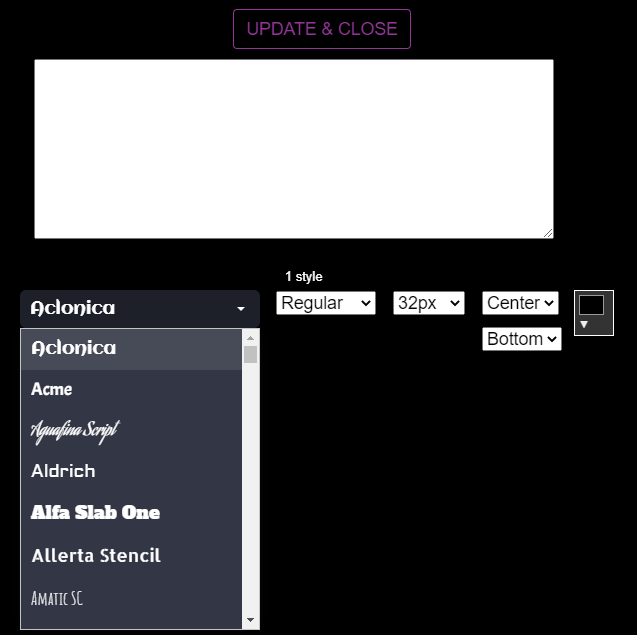
Add text to your GIF with a large selection of fonts. Position it anywhere on the image, choose colors, and adjust sizing.
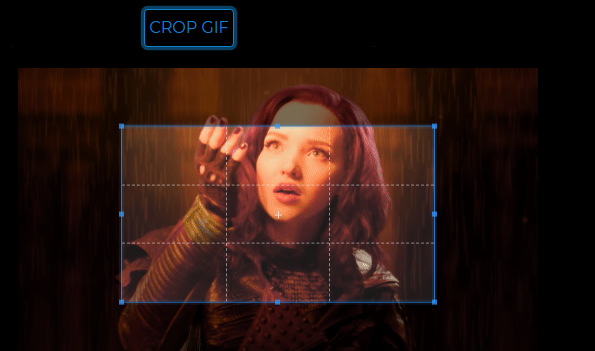
Crop your GIF or WebP to focus on a specific area. The crop tool opens in a dedicated window and preserves the original image quality.
When you create a GIF or WebP while signed in, you can save it to your profile. Your profile page displays all your saved creations in a grid layout.
After creating a GIF/WebP, click Save to add it to your profile. The image gets a unique short ID and is permanently stored. You can then view it at your profile URL.
Claim a vanity URL like gifrun.com/yourusername from the Settings page. Rules:
Don't have a vanity URL yet? No problem — your saved images are accessible at gifrun.com/user while you're signed in. Once you claim a custom URL, everything moves to your new address automatically.
Download any saved GIF/WebP to your device
Remove images you no longer want — deletes the image and all associated data
Your image grid loads more as you scroll — no pagination buttons needed
Set your profile to private — only approved followers can see your images
Each saved image has a dedicated detail page at gifrun.com/username/imageId where you can view, navigate, edit, and share your creation.
The title defaults to the YouTube video title, but image owners can click to edit it and set a custom title (up to 200 characters). The custom title appears everywhere the image is shown.
Add a description to your image (up to 500 characters). Visitors see it below the image; owners see an editable text area with a Save button.
Navigate between your images without touching the mouse:
Image owners see a gear icon (⚙) instead of the download button. Clicking it opens a dropdown with:
Give your images readable, memorable URLs instead of auto-generated IDs.
Before: gifrun.com/filix/Ab3xK
After: gifrun.com/filix/BestMomentEver
| Rule | Details |
|---|---|
| Characters | Letters (a–z, A–Z), digits (0–9), hyphens (-) |
| Length | 3 – 40 characters |
| Start / end | Must be a letter or digit (no leading or trailing hyphens) |
| No double hyphens | -- is not allowed |
| Case | Mixed case preserved — PascalCase encouraged for readability |
| Uniqueness | Case-insensitive within your account |
FREE accounts can create up to 3 custom image slugs. PRO subscribers get unlimited custom slugs.
Tag your images with hashtags to organize and filter your collection. Tags appear on the image detail page and power the filterable sidebar on your profile.
Open the gear menu on any image you own, find the Tags section, type a tag and click Add. Up to 10 tags per image.
As you type, your existing tags appear as suggestions — click one to add it instantly.
On desktop, a sidebar shows all your tags with counts. On mobile, a horizontal pill bar. Click any tag to filter.
Visitors see your tags as read-only pills below the description, each linking to your filtered profile.
| Rule | Details |
|---|---|
| Characters | Letters and digits only (a–z, A–Z, 0–9) |
| Length | 2 – 30 characters |
| Max per image | 10 tags |
| Duplicates | Case-insensitive check — "Funny" and "funny" count as the same tag |
Click the ♥ heart icon on any image detail page to like it. The like count appears next to the heart. Hover over the count to see who liked it recently, or click the count to view the full list of likers.
Leave comments on any public image. Comments support one-level threading — you can reply to top-level comments. Comments appear in real-time via SignalR.
Type in the comment box, press Enter to post. Click "Reply" on any comment to respond in a thread.
Edit your own comments within a 15-minute window after posting.
Delete your own comments, or as the image owner, delete any comment on your image.
Click the heart on individual comments to show appreciation.
Visit any user's profile and click Follow to follow them. Their new images will appear in your feed. The button shows three states:
Visit gifrun.com/feed to see a chronological stream of images from everyone you follow. The feed supports infinite scroll and image detail pages with the same navigation, likes, and comments as profile pages.
Users can set their account to private. When visiting a private profile, non-followers see a locked profile with a lock icon — the image grid is hidden.
GifRun notifies you in real-time when someone interacts with your content. A bell icon with an unread count badge appears in the navigation menu.
| Event | What you see |
|---|---|
| ♥ Like | "username liked your GIF/WEBP" — with thumbnail |
| 👤 Follow | "username started following you" |
| 📩 Follow Request | "username requested to follow you" |
| ✅ Request Accepted | "username accepted your follow request" |
| 💬 Comment | "username commented on your GIF/WEBP" |
Subscribers can upload their own video files directly to create GIFs and WebP images, instead of relying on YouTube or other video URLs.
| Detail | Value |
|---|---|
| Supported formats | MP4, MOV, MKV |
| Max file size | 200 MB |
| Storage (paid) | 10 GB permanent |
| Storage (free) | 2 GB permanent |
Uploaded videos appear in a grid at gifrun.com/upload — select any uploaded video to create GIFs from it.
Create videos from text prompts using OpenAI's Sora AI model. This feature is available exclusively to active subscribers.
GifRun PRO is powered by Stripe for secure payment processing.
Manage your account preferences at gifrun.com/settings
Claim or change your vanity profile URL. 30-day cooldown between changes.
Toggle your profile visibility — only approved followers can see your images when private.
Enable or disable comments on your images. When off, only you see the comment section.
Manage your name, email, and Google sign-in connection.
No. You can create and download GIFs and WebP animations without signing up. An account raises the clip length limit, removes ads, and lets you save creations to a profile.
Without an account, clips are capped at 10 seconds. A free account raises that to 20 seconds, and a subscription removes the duration limit entirely.
Anonymous exports go up to 520px wide, free accounts up to 600px, and subscribers up to 2K.
Watermarks are applied to free exports. Subscribing removes them from every GIF and WebP you create.
GIF is limited to 256 colours but plays everywhere, which makes it the safe pick for forums, chat apps and older sites. WebP keeps full colour at a much smaller file size and is supported by every current browser.
Yes. Subscribers can upload video files directly — MP4, MOV, MKV and other common formats — and clip GIFs from them the same way as from a link.
Saved creations live on your profile, where you can organise them with tags, give them custom URLs, and share them. Free accounts get 5 GB of storage and subscribers get 15 GB.
Most converters map every clip onto one generic 256-colour palette. GifRun runs a full FFmpeg pipeline that builds a palette from your specific clip, so gradients stay smooth instead of banding.
Need more help? Contact us at support@gifrun.com
